Khue’s Homelab
Features • Get Started • Documentation


This project utilizes Infrastructure as Code and GitOps to automate provisioning, operating, and updating self-hosted services in my homelab. It can be used as a highly customizable framework to build your own homelab.
What is a homelab?
Homelab is a laboratory at home where you can self-host, experiment with new technologies, practice for certifications, and so on. For more information, please see the r/homelab introduction and the Home Operations Discord community (formerly known as k8s-at-home).
If you encounter an issue, please create a bug report (avoid asking for support about issues specific to this project in other communication channels).
Overview
Project status: ALPHA
This project is still in the experimental stage, and I don’t use anything critical on it. Expect breaking changes that may require a complete redeployment. A proper upgrade path is planned for the stable release. More information can be found in the roadmap below.
Hardware
- 4 × NEC SFF
PC-MK26ECZDR(Japanese version of the ThinkCentre M700):- CPU:
Intel Core i5-6600T @ 2.70GHz - RAM:
16GB - SSD:
128GB
- CPU:
- TP-Link
TL-SG108switch:- Ports:
8 - Speed:
1000Mbps
- Ports:
Features
- Common applications: Forgejo, Immich, OpenCloud, Matrix…
- Automated bare metal provisioning with PXE boot
- Automated Kubernetes installation and management
- Installing and managing applications using GitOps
- Automatic OS rolling upgrade
- Automated version update (with approval)
- Modular architecture, easy to add or remove features/components
- Automated certificate management
- Automatically update DNS records for exposed services
- VPN (Tailscale or WireGuard)
- Expose services to the internet securely with Cloudflare Tunnel
- CI/CD platform
- Private container registry
- Distributed storage
- Support multiple environments (staging, production)
- Monitoring and alerting
- Automated backup and restore
- Single sign-on
- Infrastructure testing
Some demo videos and screenshots are shown here. They can’t capture all the project’s features, but they are sufficient to get a concept of it.
| Demo |
|---|
 |
| Deploy with a single command (after updating the configuration files) |
 |
| PXE boot |
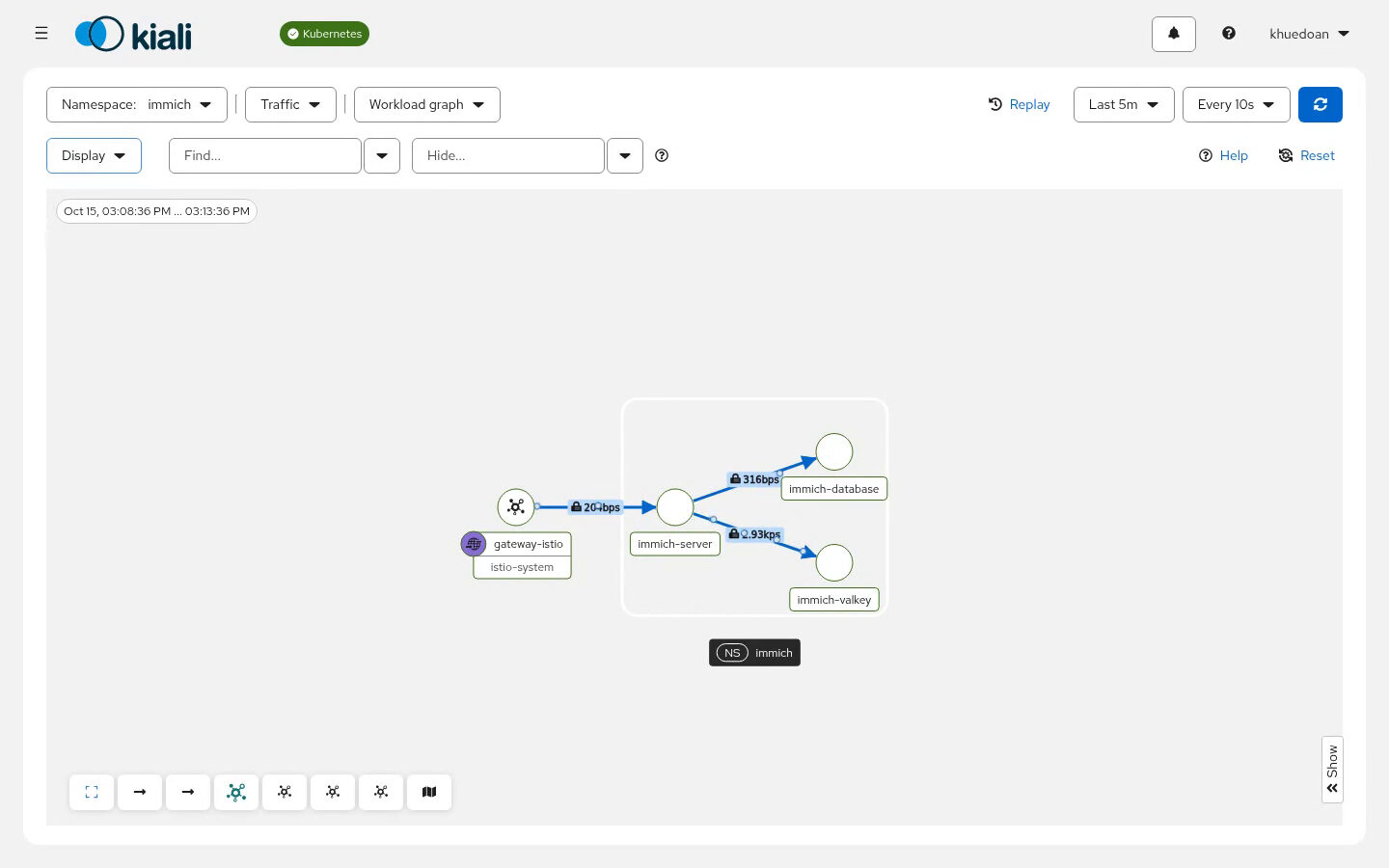 |
| Observe network traffic with Kiali |
| Homepage powered by… Homepage |
| Monitoring dashboard powered by Grafana |
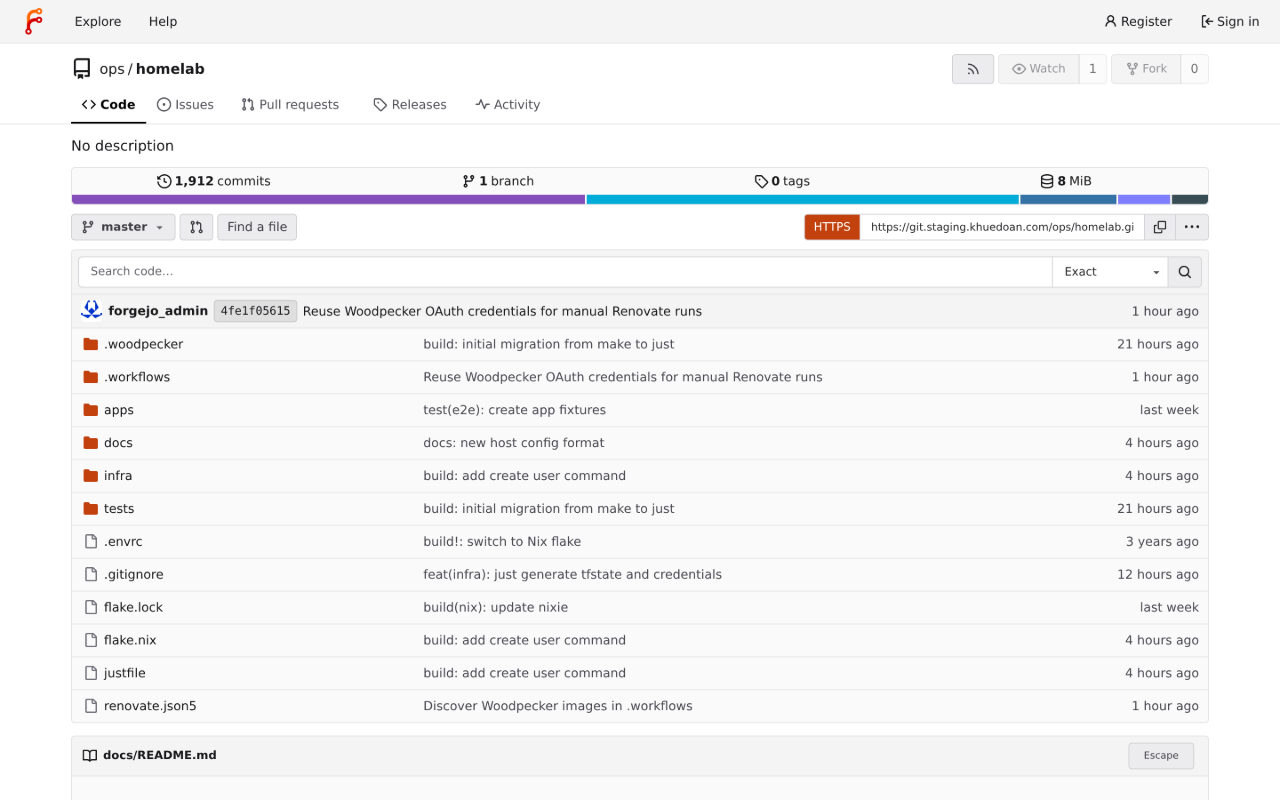 |
| Git server powered by Forgejo |
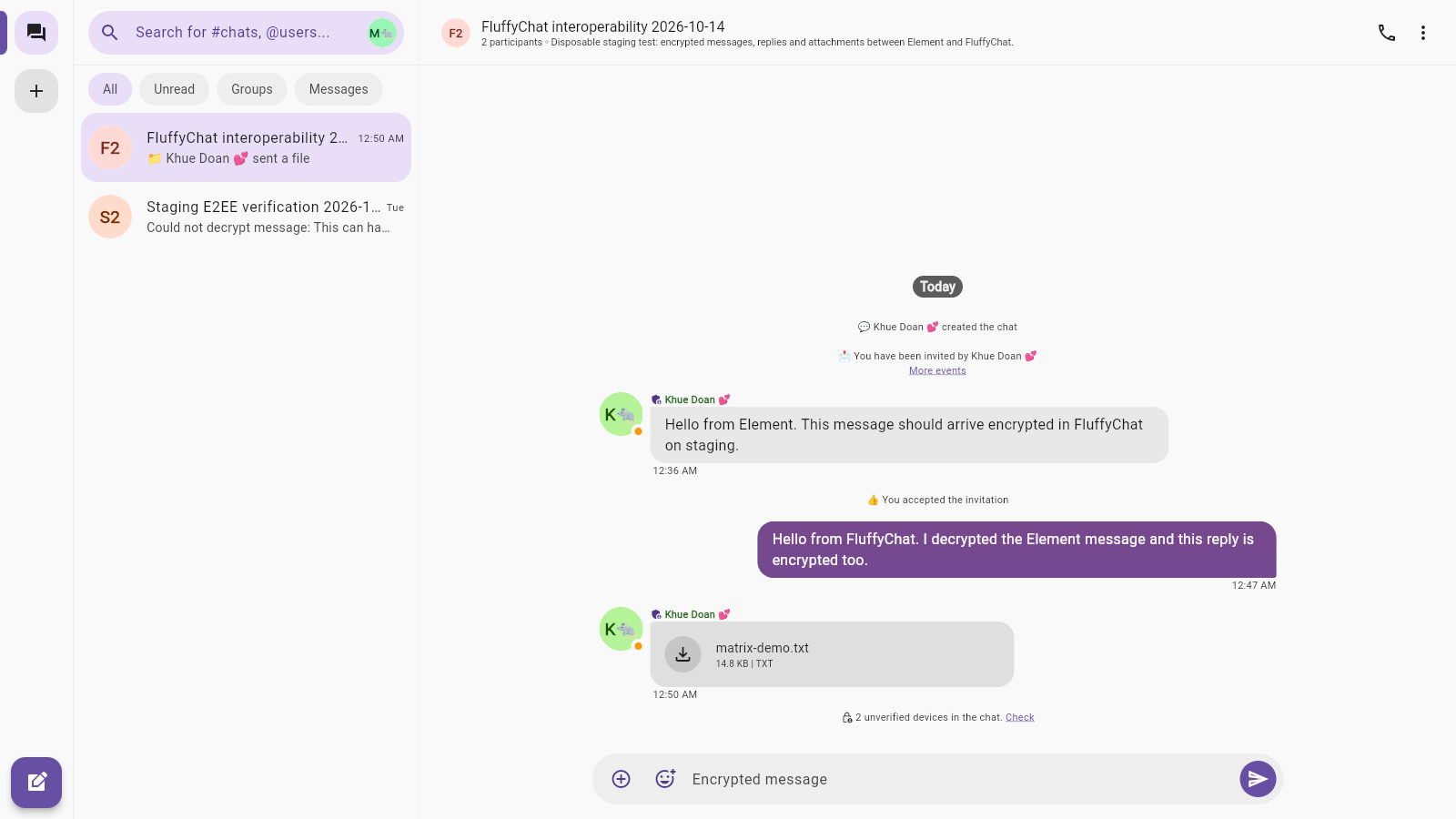 |
| Matrix chat (FluffyChat UI) |
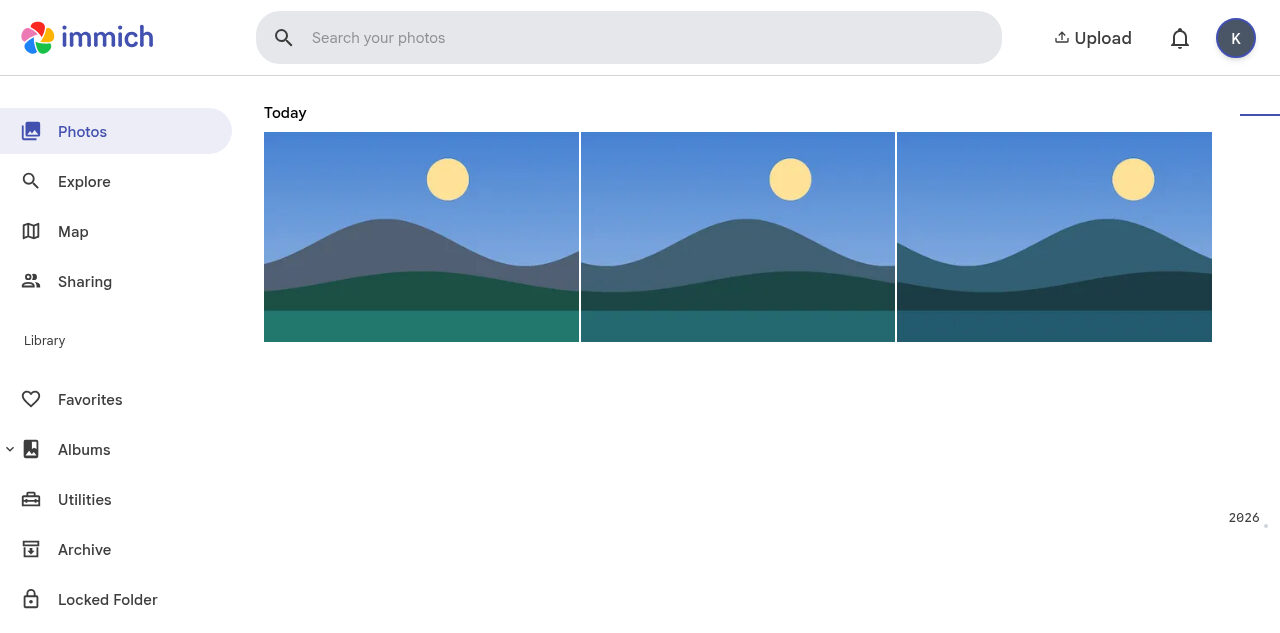 |
| Photo library powered by Immich |
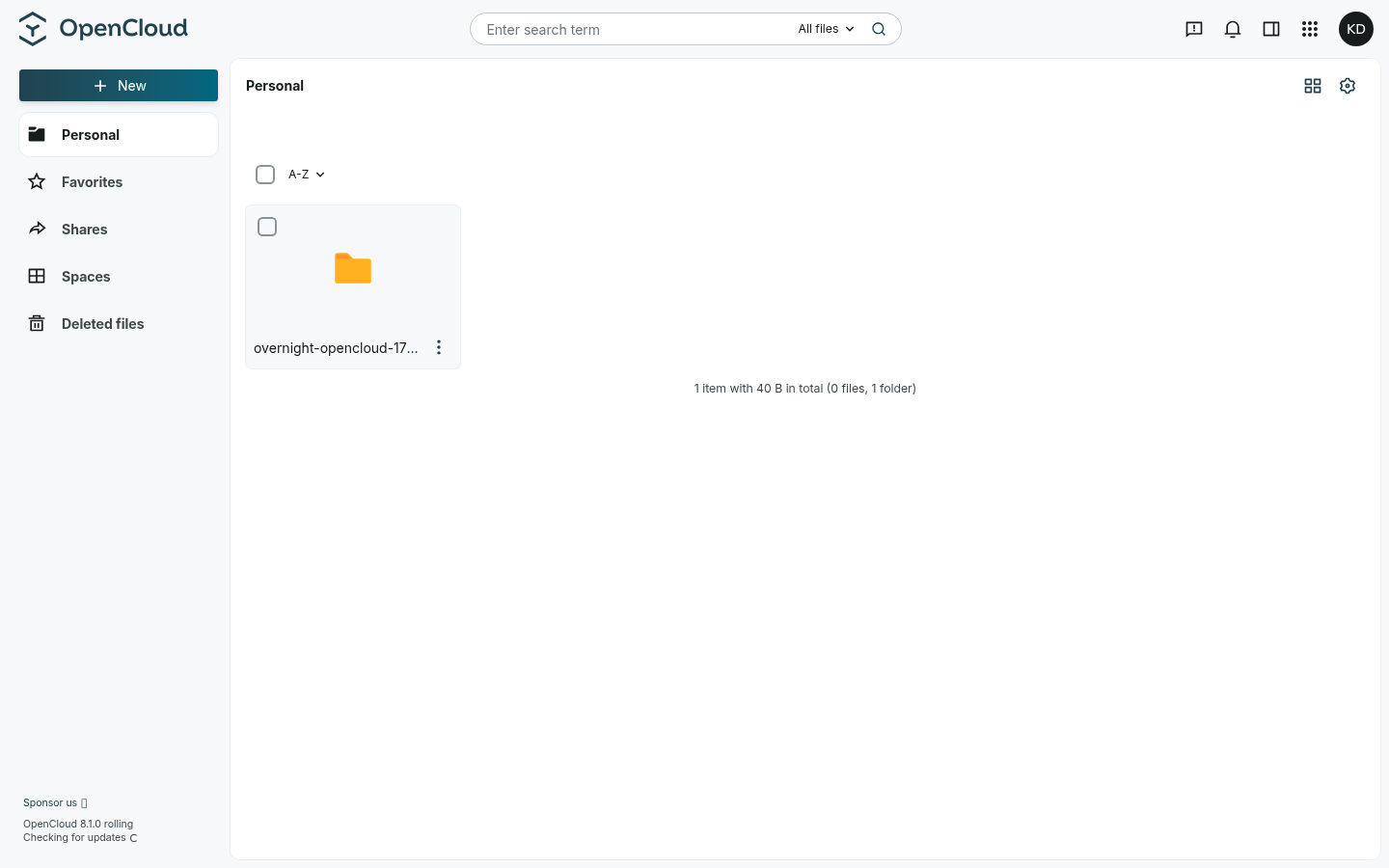 |
| File storage powered by OpenCloud |
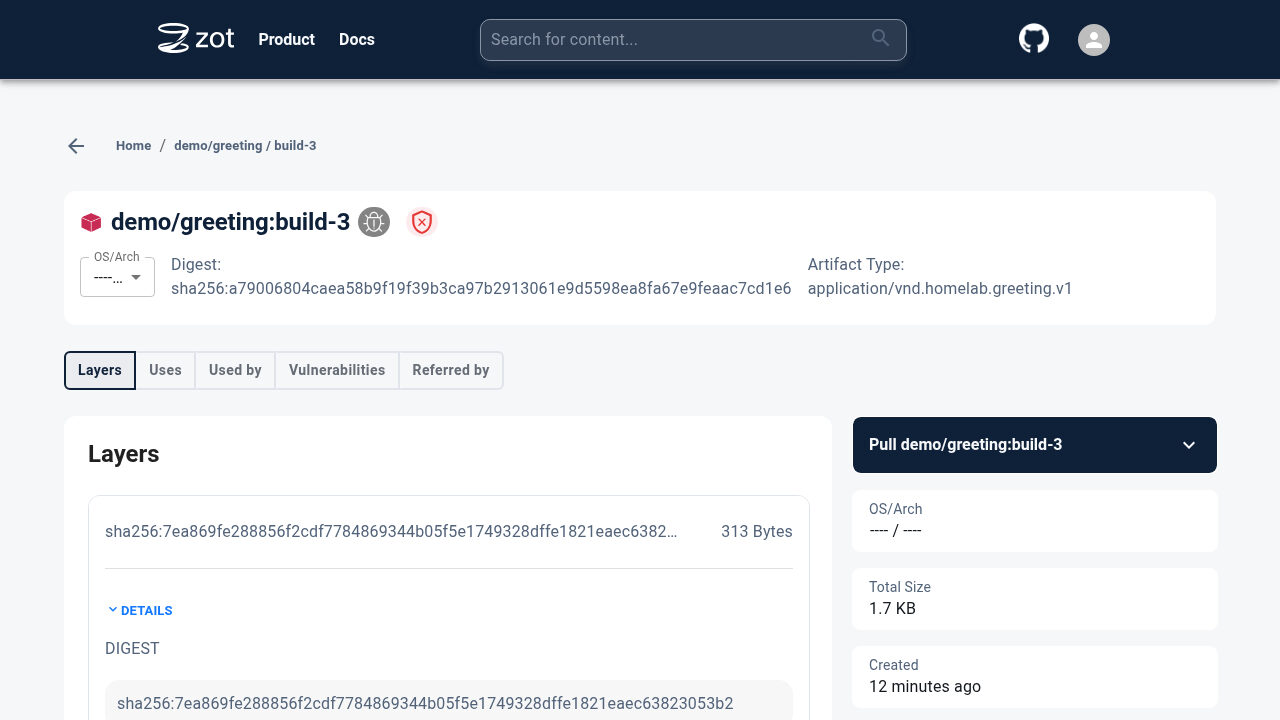 |
| Container registry powered by Zot |
| Continuous integration with Woodpecker CI |
| Continuous deployment with ArgoCD |
| ntfy displaying received alerts |
Tech stack
| Logo | Name | Description |
|---|---|---|
 |
Argo CD | GitOps tool built to deploy applications to Kubernetes |
 |
cert-manager | Cloud native certificate management |
 |
Cloudflare | DNS, Tunnel and R2 for OpenTofu state |
 |
ExternalDNS | Synchronizes exposed Kubernetes Services and HTTPRoutes with DNS providers |
 |
Forgejo | Self-hosted Git service |
 |
Go | Custom CLI and infrastructure tests with Terratest |
 |
Grafana | Observability platform |
 |
Helm | The package manager for Kubernetes |
 |
Istio | Kubernetes service mesh and gateway |
 |
K3s | Lightweight distribution of Kubernetes |
 |
Kanidm | Modern and simple identity management platform |
 |
kube-vip | Provides virtual IPs and load balancer for the Kubernetes API and Services |
 |
Kubernetes | Container-orchestration system, the backbone of this project |
 |
Loki | Log aggregation system |
 |
NixOS / Nix | Base OS and convenient development shell |
| Nixie | Open-source bare metal provisioning engine for NixOS | |
 |
OpenBao | Secrets management |
 |
OpenTofu | Open-source Infrastructure as Code |
 |
Prometheus | Systems monitoring and alerting toolkit |
 |
Renovate | Automatically update dependencies |
 |
Rook Ceph | Cloud-Native Storage for Kubernetes |
 |
Terragrunt | Coordinate OpenTofu modules |
 |
Velero | Backs up and restores Kubernetes |
 |
Woodpecker CI | Simple yet powerful CI/CD engine with great extensibility |
 |
Zot Registry | Private container registry |
Get Started
- Deploy on real hardware for production workload
Roadmap
See roadmap and open issues for a list of proposed features and known issues.
Contributing
Any contributions you make are greatly appreciated.
Please see contributing guide for more information.
License
Copyright © 2020 - 2026 Khue Doan
Distributed under the GPLv3 License.
Acknowledgements
References:
- Ephemeral PXE server inspired by Minimal First Machine in the DC
- ArgoCD usage and monitoring configuration in locmai/humble
- README template
- Run the same Cloudflare Tunnel across many
cloudflaredprocesses - MAC address environment variable in GRUB config
- Official k3s systemd service file
- Official Cloudflare Tunnel examples
- Initialize GitOps repository on Gitea and integrate with Tekton by RedHat
- SSO configuration from xUnholy/k8s-gitops
- Pre-commit config from k8s-at-home/flux-cluster-template
- Diátaxis technical documentation framework
- Official Terratest examples
- Self-host an automated Jellyfin media streaming stack
- App Template Helm chart by bjw-s
- Various application configurations in onedr0p/home-ops
Here is a list of the contributors who have helped to improve this project. Big shout-out to them!
 @locmai
 @MatthewJohn
 @karpfediem
 @linhng98
 @elliotblackburn
 @dotdiego
 @Crimrose
 @eventi
 @Bourne-ID
 @akwan
 @trangmaiq
 @tangowithfoxtrot
 @raedkit
 @ClashTheBunny
 @retX0
 @zalsader
 @serpro69
 @llajas
- @zalsader
If you feel you’re missing from this list, please feel free to add yourself in a PR.
Stargazers over time
Prerequisites
Fork this repository
Because this project applies GitOps practices, it’s the source of truth for my homelab, so you’ll need to fork it to make it yours:
By using this project you agree to the license.
Important
License TL;DR
- This project is free to use for any purpose, but it comes with no warranty
- You must use the same GPLv3 license in
docs/reference/license.md- You must keep the copy right notice and/or include an acknowledgement
- Your project must remain open-source
Hardware requirements
Initial controller
Note
The initial controller is the machine used to bootstrap the cluster, we only need it once, you can use your laptop or desktop
- A Linux machine with Nix and
sudoaccess (for privileged ports when PXE booting with Nixie). - An SSH agent, preferably with a TPM-backed key to keep the private key in hardware.
- Add your public SSH key to
infra/src/modules/metal/flake/authorized_keys.
Servers
Any modern x86_64 computer(s) should work, you can use old PCs, laptops or servers.
Note
This is the requirements for each node
| Component | Minimum | Recommended |
|---|---|---|
| CPU | 2 cores | 4 cores |
| RAM | 8 GB | 16 GB |
| Hard drive | 128 GB | 512 GB (depending on your storage usage, the base installation will not use more than 128GB) |
| Node count | 1 (checkout the single node cluster adjustments tutorial) | 3 or more for high availability |
Additional capabilities:
- Ability to boot from the network (PXE boot)
- Wake-on-LAN capability, used to wake the machines up automatically without physically touching the power button
Network setup
- All servers must be connected to the same wired network with the initial controller
- Access to your domain’s DNS settings in Cloudflare
External resources
A domain managed by Cloudflare is required.
Although I try to keep the amount of external resources to the minimum, there’s still need for a few of them. Below is a list of external resources and why we need them (also see some alternatives below).
| Provider | Resource | Purpose |
|---|---|---|
| Cloudflare | R2 bucket | OpenTofu state and encrypted volume backups |
| Cloudflare | DNS | DNS and DNS-01 challenge for certificates |
| Cloudflare | Tunnel | Public services to the internet without port forwarding |
| ntfy.sh | Upstream | Push relay for self-hosted ntfy notifications |
Create credentials
Cloudflare
- Add your domain to Cloudflare if you haven’t already
- Log in from the development shell:
cf auth login
Grant the following permissions:
- Account API Tokens Write
- R2 bucket and object access
- DNS
- Tunnel
If your existing login lacks these permissions, run cf auth login --force and approve them.
Alternatives
To avoid vendor lock-in, each external provider must have an equivalent alternative that is easy to replace:
- Cloudflare R2:
- Update the backend and bootstrap hook in
infra/root.hclfor another state backend
- Update the backend and bootstrap hook in
- Cloudflare Tunnel:
- Use port forwarding if it’s available
- Create a small VPS in the cloud and use WireGuard to route traffic via it
- Access everything via VPN
- See also awesome tunneling
BIOS setup
Note
You need to do it once per machine if the default config is not sufficient, usually for consumer hardware this can not be automated (it requires something like IPMI to automate).
Common settings:
- Enable Wake-on-LAN (WoL) and network boot
- Use UEFI mode and disable CSM (legacy) mode
- Disable secure boot
Boot order options (select one, each has their pros and cons):
- Only boot from the network if no operating system found: works on most hardware but you need to manually wipe your hard drive or delete the existing boot record for the current OS
- Prefer booting from the network if turned on via WoL: more convenience but your BIOS must support it, and you must test it thoroughly to ensure you don’t accidentally wipe your servers
Note
Example
Below is my BIOS setup for reference. Your motherboard may have a different name for the options, so you’ll need to adapt it to your hardware.
Devices:
  NetworkSetup:
    PXEIPv4: true
    PXEIPv6: false
Advanced:
  CPUSetup:
    VT-d: true
Power:
  AutomaticPowerOn:
    WoL: Automatic  # Use network boot if Wake-on-LAN
Security:
  SecureBoot: false
Startup:
  CSM: false
Gather information
- MAC address for each machine
- OS disk name (for example
/dev/sda) - Choose a static IP address for each machine (just the desired address, we don’t set anything up yet)
- Choose an unused IP range for LoadBalancer Services (e.g.
192.168.1.224/27) and a control-plane VIP (e.g.192.168.1.100) - Subnet prefix length and gateway
Configuration
Configure nodes
Edit infra/production/metal/hosts.json with your machines’ static IPs, MAC addresses, and disk paths.
Installation erases the disks.
Note
Example
{
  "homelab-1": {"ip": "192.168.1.110", "mac_address": "02:00:00:00:00:01", "disk": "/dev/sda"},
  "homelab-2": {"ip": "192.168.1.111", "mac_address": "02:00:00:00:00:02", "disk": "/dev/sda"},
  "homelab-3": {"ip": "192.168.1.112", "mac_address": "02:00:00:00:00:03", "disk": "/dev/sda"},
  "homelab-4": {"ip": "192.168.1.113", "mac_address": "02:00:00:00:00:04", "disk": "/dev/sda"}
}
Configure the cluster
Edit infra/production/cluster/config.json with your network settings.
Set init_host to a host in the inventory:
{
  "init_host": "homelab-1",
  "vip": "192.168.1.100",
  "load_balancer_cidr": "192.168.1.224/27",
  "network": {"prefix_length": 24, "gateway": "192.168.1.1"}
}
Configure services
Update the following settings in infra/production/:
domainin thecloudflare,argocd, andplatformTerragrunt unitszone_namein the Cloudflare unit
Review the settings in apps/*.yaml, including image registries and homepage links.
After examining the diff, commit and push the changes. Continue with deployment.
Deployment
Open the development shell if you haven’t already:
nix develop
Build the lab:
just deploy production
Yes it’s that simple!
It will take a while to download everything, you can read the architecture document while waiting for the deployment to complete.
Post-installation
Access the cluster
Export the environment’s kubeconfig, e.g., production:
export KUBECONFIG="$PWD/infra/production/kubeconfig.yaml"
Create users
Follow the user onboarding guide to create accounts and assign access. Use SSO to sign in to applications.
Verify backups
Follow the backup and restore guide to check backups and restore data.
Run tests
Run offline checks:
just test
Run live tests against staging:
just test e2e staging
See the testing reference for individual checks.
VPN setup
You can choose between Tailscale, WireGuard, or use both like me. I primarily use WireGuard but keep Tailscale as a backup for when the WireGuard server is down.
Tailscale (requires third-party account)
Tailscale provides access through a subnet router in the cluster.
-
Select the environment’s kubeconfig:
export KUBECONFIG="$PWD/infra/production/kubeconfig.yaml" -
Read the router’s login URL:
kubectl -n tailscale logs deployment/tailscale -
Open the login URL and enroll the device in your tailnet.
-
Approve its advertised subnet in the Tailscale admin console.
-
Install Tailscale on your devices, sign in, and enable subnet routes where required by the client.
You can invite users to your tailnet.
WireGuard (requires port-forwarding)
WireGuard Portal is available at https://vpn.<domain> with SSO.
Prerequisites
Configure port forwarding in your router for the WireGuard service.
Note
Example
Each router is different, here’s mine for reference:
- Protocol:
UDP- Start Port:
51820- End Port:
51820- Local IP Address:
192.168.1.226(find it withkubectl get service -n wireguard wireguard-wireguard)- Start Port Local:
51820- End Port Local:
51820
Configure the server
Sign in to the portal with an account in the admins group and create a server interface:
- Name:
wg0 - Address:
10.44.0.1/24 - Listen port:
51820 - Enable default peer creation
- Client network:
10.44.0.0/24 - Client endpoint:
wg.<domain>:51820 - Client allowed IPs:
10.44.0.0/24and your application LoadBalancer subnet
Choose a tunnel network that doesn’t overlap your LAN, pod, or Service networks.
Add a new device
WireGuard Portal will create one device by default. Users can add more if needed.
Install WireGuard, then download the configuration as wg0.conf or scan its QR code.
Keep the configuration private.
Mobile
Scan the QR code from the portal using the official WireGuard app.
Linux
Import the WireGuard configuration using NetworkManager:
nmcli connection import type wireguard file wg0.conf
Activate the connection:
nmcli connection up wg0
Connect and test access to a private application while outside your LAN.
Headscale
Headscale is a self-hosted implementation of the Tailscale control server that does not require a third-party account. To set it up, take a look at the changes proposed by this PR.
User onboarding
For user
Create user
Ask an admin to create your account, provide the following information:
- Full name (John Doe)
- Select a username (
johndoe) - Email address (
johndoe@example.com)
Install companion apps
For all users:
- A password manager (I personally recommend Bitwarden)
- A Matrix chat client (optional, you can use the web version)
For technical users:
- Docker
- Nix and direnv (optional, but highly recommended)
- Lens (optional, you can use
kubectlin the development shell)
For admin
Create the account:
just user production johndoe "John Doe" johndoe@example.com
Share the one-time link privately for the user to set up passkeys or password + TOTP.
To include additional access groups when creating the account, pass a comma-separated list:
just user production johndoe "John Doe" johndoe@example.com admins,developers
| Group | Access |
|---|---|
users | Use applications and view dashboards (added by default) |
developers | Edit dashboards and push to the GitOps repository |
admins | Admin access to applications |
PXE boot
sequenceDiagram
    participant Nixie
    participant Router as Router (DHCP)
    participant Machines

    Nixie->>Nixie: Load hosts.json
    Nixie->>Machines: Check recorded machine IDs over SSH
    Note over Nixie: Skip recorded hosts, even if unreachable<br/>or their identity differs. Stop if all are recorded.

    Nixie->>Nixie: Build NixOS installer with Nix
    Nixie->>Nixie: Start ProxyDHCP, TFTP, HTTP, and API services
    loop Each uninstalled machine
        Nixie->>Machines: Send Wake-on-LAN packet
    end

    par Machines boot and install concurrently
        Note over Machines: UEFI PXE boot
        Machines->>Router: Broadcast DHCP discovery
        Machines->>Nixie: Same broadcast
        par IP configuration
            Router-->>Machines: Assign IP address
        and PXE discovery
            Nixie-->>Machines: Offer PXE boot server (ProxyDHCP)
        end
        Machines->>Nixie: Discover boot file (UDP 4011)
        Nixie-->>Machines: iPXE bootloader path
        Machines->>Nixie: Request bootloader (TFTP)
        Nixie-->>Machines: iPXE bootloader

        Note over Router,Machines: iPXE repeats DHCP discovery<br/>ProxyDHCP supplies the boot-script URL
        Machines->>Nixie: Request boot script, then kernel and initrd (HTTP)
        Nixie-->>Machines: Boot script, kernel, and initrd
        Note over Machines: Boot NixOS installer<br/>systemd starts nixie-agent

        Machines->>Nixie: POST /install with MAC address
        Nixie->>Nixie: Select host flake by MAC<br/>Use request's source IP for SSH
        Nixie->>Machines: Run nixos-anywhere to install NixOS over SSH
        Note over Machines: Reboot into installed system
        Nixie->>Machines: Read installed /etc/machine-id over SSH
        Machines-->>Nixie: Machine ID
        Nixie->>Nixie: Save IP and machine ID hash to hosts.json<br/>Mark host installed
    end

    Note over Nixie: Shut down after all hosts are installed
Here’s how it looks like in action (this is an old clip so the logs look different now):
Secrets management
Overview
- Secrets are stored in OpenBao.
- Integrate with GitOps using the Bank-Vaults secrets webhook.
- Secrets that can be generated are automatically generated and stored in OpenBao.
flowchart TD
  operator[Bank-Vaults operator] -- generate --> OpenBao
  setup[Just recipes] -- sync infrastructure secrets --> OpenBao
  webhook[Secrets webhook] -- read --> OpenBao

  subgraph app-namespace[application namespace]
    Secret --> App
  end

  webhook -- inject --> Secret
Generated and external secrets
- Bank-Vaults generates secrets configured in
infra/src/modules/platform/openbao.tf, keeping existing values. just deploysyncs infrastructure credentials from OpenTofu’ssecretsoutputs, along with SSO and Forgejo credentials.
Infra secret outputs
To publish secrets from an OpenTofu module, add a sensitive secrets output.
output "secrets" {
  sensitive = true
  value = {
    "cert-manager/cloudflare" = { # OpenBao path
      api_token = cloudflare_account_token.cert_manager.value # secret values
    }
  }
}
just deploy production writes these under OpenBao’s secret KV mount.
Secret injection
Secrets use <namespace>/<name> paths, for example forgejo/admin.
Applications can only read secrets for their own namespace.
When you apply a labeled Secret, for example:
apiVersion: v1
kind: Secret
metadata:
  name: forgejo-admin
  namespace: forgejo
  labels:
    homelab.khuedoan.com/bao-secret: "true"
stringData:
  username: forgejo_admin
  password: bao:secret/data/forgejo/admin#password
The webhook reads the password from OpenBao and stores it in the Kubernetes Secret. The OpenBao record must already exist. Argo CD ignores the injected values.
References are resolved when the Secret is created or updated. After rotation, reapply the references and restart the applications using the Secret.
Please see the official documentation for more information.
Certificate management
Certificates are generated and managed by cert-manager with Let’s Encrypt, and renewed automatically.
cert-manager watches Gateway resources across the cluster.
When you create a Gateway with the issuer annotation:
apiVersion: gateway.networking.k8s.io/v1
kind: Gateway
metadata:
  annotations:
    cert-manager.io/cluster-issuer: acme
  name: gateway
  namespace: istio-system
spec:
  gatewayClassName: istio
  listeners:
    - name: https
      hostname: '*.example.com'
      port: 443
      protocol: HTTPS
      tls:
        mode: Terminate
        certificateRefs:
          - name: wildcard-tls
      allowedRoutes:
        namespaces:
          from: All
flowchart LR
  User -- 6 --> Gateway

  subgraph cluster[Homelab cluster]
    Gateway --- Secret
    Gateway -. 1 .-> Certificate
    Certificate -. 5 .-> Secret
    Certificate -- 2 --> CertificateRequest -- 3 --> Order -- 4 --> Challenge
  end

  Order -.- ACMEServer[ACME server]

  subgraph dnsprovider[DNS provider]
    TXT
  end

  Challenge -- 4.a --> TXT
  ACMEServer -.- Challenge
  ACMEServer -. "4.b" .-> TXT
- cert-manager creates a corresponding
Certificateresource - Based on the
Certificateresource, cert-manager creates aCertificateRequestresource to request a signed certificate from the configuredClusterIssuer - The
CertificateRequestwill create an order with an ACME server (we use Let’s Encrypt), which is represented by theOrderresource - Then cert-manager will perform a DNS-01
Challenge:- Create a DNS TXT record (contains a computed key)
- The ACME server retrieve this key via a DNS lookup and validate that we own the domain for the requested certificate
- cert-manager stores the certificate (typically
tls.crtandtls.key) in theSecretspecified in theGatewayconfiguration - Now you can access the HTTPS website with a valid certificate
A much more detailed diagram can be found in the official documentation under certificate lifecycle.
Development shell
The development shell makes it easy to get all of the dependencies needed to interact with the homelab.
Prerequisites
Note
NixOS users can skip this step.
Install Nix using one of the following methods:
If you’re using the official installer, add the following to your
~/.config/nix/nix.conf to enable Flakes:
experimental-features = nix-command flakes
How to open it
Run the following command:
nix develop
It will open a shell with all the dependencies defined in ./flake.nix:
[khuedoan@ryzentower:~/Documents/homelab]$ which kubectl
/nix/store/0558zzzqynzw7rx9dp2i7jymvznd1cqx-kubectl-1.30.1/bin/kubectl
Tip
If you have
direnvinstalled, you can rundirenv allowonce and it will automatically enter the Nix shell every time youcdinto the project.
Testing the system
tests/ cover cluster access, networking, storage, backups, GitOps, secrets, etc.
just test
just test e2e staging
See the testing reference for more.
Expose services to the internet
Note
This tutorial is for Cloudflare Tunnel users, please skip if you use port forwarding.
Apply the environment’s Cloudflare unit to create a tunnel if you haven’t already,
then attach your HTTPRoute to the public Gateway (replace example.com with your domain):
apiVersion: gateway.networking.k8s.io/v1
kind: HTTPRoute
metadata:
  name: website
  namespace: website
  annotations:
    external-dns.kubernetes.io/cloudflare-proxied: "true"
spec:
  parentRefs:
    - name: public
      namespace: istio-system
      sectionName: https
  hostnames:
    - www.example.com
  rules:
    - backendRefs:
        - name: website
          port: 3000
The public Gateway supplies the DNS target for the environment’s tunnel.
Backup and restore
Prerequisites
Keep access to your Cloudflare account and existing OpenTofu state in R2. The state contains the backup credentials and Kopia repository password.
From the development shell, select the environment and its kubeconfig:
env=production
export KUBECONFIG="$PWD/infra/$env/kubeconfig.yaml"
Back up the cluster
Velero runs hourly backups. To create one now:
velero backup create --from-schedule cluster --wait
velero backup get
velero backup describe BACKUP_NAME --details
Check the result for warnings and failed uploads.
Restore an application
Pause the affected Argo CD Applications and their ApplicationSet, then stop the workloads.
Start in read-only mode:
export TF_VAR_backup_read_only=true
(cd "infra/$env/platform" && terragrunt run apply)
Check that app reconciliation remains paused after applying the platform.
Select a backup and restore the app namespace:
velero backup get
velero restore create --from-backup BACKUP_NAME --include-namespaces APP_NAMESPACE --wait
velero restore get
velero restore describe RESTORE_NAME --details
Verify the restored data before resuming workloads and GitOps reconciliation. Then resume scheduled backups:
unset TF_VAR_backup_read_only
(cd "infra/$env/platform" && terragrunt run apply)
Dependency updates
We use Renovate to update dependencies automatically.
In Woodpecker, under the homelab project:
- Start a manual pipeline on the default branch.
- Select the
renovateworkflow. - Review its PRs and merge them.
Use both GitHub and Forgejo
Even though we self-host Forgejo, you may still want to use GitHub as a backup and for discovery.
Add both push URLs (replace my repositories with yours):
git remote set-url --add --push origin https://git.khuedoan.com/ops/homelab.git
git remote set-url --add --push origin git@github.com:khuedoan/homelab
Now you can just run git push like usual and it will push to both GitHub and Forgejo.
Add or remove nodes
Or how to scale horizontally. To replace the same node with a clean OS, remove it and add it again.
Add new nodes
Tip
You can add multiple nodes at the same time
Add its details to the inventory:
 {
  "homelab-1": {"ip": "192.168.1.110", "mac_address": "02:00:00:00:00:01", "disk": "/dev/sda"},
  "homelab-2": {"ip": "192.168.1.111", "mac_address": "02:00:00:00:00:02", "disk": "/dev/sda"},
  "homelab-3": {"ip": "192.168.1.112", "mac_address": "02:00:00:00:00:03", "disk": "/dev/sda"},
+ "homelab-4": {"ip": "192.168.1.113", "mac_address": "02:00:00:00:00:04", "disk": "/dev/sda"}
 }
Install the OS and join the cluster:
just deploy production
Then verify the new node:
export KUBECONFIG="$PWD/infra/production/kubeconfig.yaml"
kubectl get nodes
That’s it!
Remove a node
Warning
It is recommended to remove nodes one at a time
Use the environment’s kubeconfig:
export KUBECONFIG="$PWD/infra/production/kubeconfig.yaml"
Drain the node:
kubectl drain ${NODE_NAME} --delete-emptydir-data --ignore-daemonsets --force
Remove the node from the cluster
kubectl delete node ${NODE_NAME}
Shutdown the node:
ssh root@${NODE_IP} poweroff
Remove it from the inventory:
 {
  "homelab-1": {"ip": "192.168.1.110", "mac_address": "02:00:00:00:00:01", "disk": "/dev/sda"},
  "homelab-2": {"ip": "192.168.1.111", "mac_address": "02:00:00:00:00:02", "disk": "/dev/sda"},
  "homelab-3": {"ip": "192.168.1.112", "mac_address": "02:00:00:00:00:03", "disk": "/dev/sda"},
- "homelab-4": {"ip": "192.168.1.113", "mac_address": "02:00:00:00:00:04", "disk": "/dev/sda"}
 }
Reapply the environment with just deploy production.
Don’t replace the initializer with a fresh server in an existing cluster.
Optionally, after Ceph finishes recovering, clean up the removed node’s OSD records using the Rook guide.
Single node cluster adjustments
Warning
This is not officially supported and I don’t regularly test it, I highly recommend using multiple nodes.
Using a single node could lead to data loss unless your backup strategy is rock solid, make sure you are ABSOLUTELY CERTAIN this is what you want.
Make the following changes, then commit and push.
Configure the node
- Keep one host in
infra/production/metal/hosts.json. - Set it as
init_hostininfra/production/cluster/config.json.
Remove storage redundancy
Set ceph_replica_count to 1 in the inputs block of infra/production/platform/terragrunt.hcl:
ceph_replica_count = 1
Updating documentation (this website)
This project uses the Diátaxis technical documentation framework. The website is generated using mdBook and can be viewed at homelab.khuedoan.com.
There are 4 main parts:
- Getting started (tutorials): learning-oriented
- Concepts (explanation): understanding-oriented
- How-to guides: goal-oriented
- Reference: information-oriented
Local development
To edit and view locally, run:
just docs
Then visit localhost:8000
Deployment
It’s running on GitHub Pages under the pages branch
(so even if my homelab goes down everyone can still read the documentation).
To publish:
just publish
PXE boot
PXE server logs
View the Nixie output in the terminal running just deploy production (or staging).
To retry metal provisioning:
just --dotenv-path infra/production/.env infra apply production --filter metal
Nodes not booting from the network
- Plug a monitor and a keyboard to one of the bare metal node if possible to make the debugging process easier
- Check if the controller (PXE server) is on the same subnet with bare metal nodes (sometimes Wifi will not work or conflict with wired Ethernet, try to turn it off)
- Check if bare metal nodes are configured to boot from the network
- Check if Wake-on-LAN is enabled
- Check the controller’s firewall config to make sure that the following ports are open:
- UDP 67 and 68 for DHCP
- UDP 69 for TFTP
- UDP 4011 for the PXE boot service
- TCP 80 for the boot files
- TCP 5000 for the installer callback API
- Check if the servers are booting to the correct OS (NixOS installer instead of the previously installed OS), if not try to select it manually or remove the previous OS boot entry
- Examine the network boot process with Wireshark or Termshark
Verify your authorized SSH keys and trusted host keys if provisioning succeeds but enrollment fails.
Overview
Components
Main components:
./infra: bare metal management, Kubernetes, and platform services./apps: user facing applications
Support components:
./docs: all documentation go here, this will generate a searchable web UI./tests: automated tests for the entire system
Provisioning flow
After editing the configuration files, run a single just command to:
- (1) Apply the
metalandclusterunits:- Create an ephemeral, stateless PXE server
- Install NixOS on all servers in parallel
- Build a Kubernetes cluster (based on k3s)
- Export and verify its kubeconfig
- (2) Bootstrap GitOps with ArgoCD
- (3) Deploy platform components
- (4) Push the GitOps repo to Forgejo
- (5) Deploy applications in
./appswith ArgoCD
flowchart TD
  subgraph metal[metal]
    pxe[PXE Server] -.-> linux[NixOS Server] --> k3s --> kubeconfig[Verified kubeconfig]
  end

  metal --> argocd[ArgoCD] --> platform
  cloudflare[Cloudflare resources]

  subgraph platform[platform]
    istio[Istio gateways]
    rook-ceph[Rook Ceph]
    cert-manager
    external-dns[External DNS]
    cloudflared
    OpenBao
    Kanidm
    Forgejo
    Woodpecker
    Grafana
  end

  letsencrypt[Let's Encrypt] -.-> cert-manager
  cloudflare -.-> cert-manager
  cloudflare -.-> external-dns
  cloudflare -.-> cloudflared

  subgraph apps[./apps]
    homepage[Homepage]
    budget[Actual Budget]
    drive[OpenCloud]
    matrix[Matrix]
  end

  platform --> sync[Lab setup and GitOps push] --> apps
  cloudflare --> sync
  backup[Backup storage] --> sync
  backup --> velero[Velero]
Networking
flowchart TD
  subgraph LAN
    laptop/desktop/phone <--> LoadBalancer
    subgraph k8s[Kubernetes cluster]
      Gateway --> Service
      Service --> Pod

      LoadBalancer[kube-vip Service VIP]
      Gateway[Istio gateways]

      cloudflared
      cloudflared <--> Gateway
    end
    LoadBalancer <--> Gateway
  end

  cloudflared -- outbound --> Cloudflare
  Internet -- inbound --> Cloudflare
- Flannel provides pod networking.
- kube-vip provides the control-plane VIP and Service load balancing.
- Tailscale and WireGuard provide remote access when you’re not at home.
- Istio gateways route HTTP traffic to applications.
- Cloudflare Tunnel exposes services to the internet through an outbound connection.
- Istio ambient mesh encrypts traffic between application Pods without sidecars, with traffic visualization using Kiali.
Decision records
These are the records of design decisions for future reference in order to understand why things are the way they are. They are not permanent, we can change them in the future if better alternatives become available.
Use Velero for backups
Context
Requirements:
- All apps backed up by default, without additional configuration for new apps.
- The backups need to work even if we lose the entire cluster.
We used to use VolSync, but its Restic workflow requires per-volume replication resources and credentials, and the backup & restore flow is not really declarative. We would need additional resource generation and orchestration to provide this experience.
Decision
Use Velero to back up cluster resources and supported persistent volumes:
- Use CSI snapshot data movement to copy volume data into object storage, so recovery does not depend on the original Ceph cluster.
- Use Velero’s ReadOnly recovery mode to prevent backup creation and deletion while restoring and verifying data.
Consequences
- The backup schedule includes all apps, without backup resources or storage credentials to distribute to app namespaces.
- Backup and restore operations use Velero’s native resources and CLI.
- Velero requires broad cluster permissions.
- Database applications may still need backup hooks or native exports for consistent backups.
Switch metal provisioning from Ansible to Nixie
Context
The metal nodes used to use Ansible to install Fedora. When we switched to NixOS, while technically we can still use Ansible to do the same thing, but it’s still hard to test and debug.
Decision
Build a custom bare metal orchestration engine for NixOS - nixie.
Consequences
- Single binary with native OS process instead of complex Ansible & Docker Compose setup (& its host networking baggage)
- It has much better integration to the OS, since it’s built specically for NixOS
- It’s much more reliable and testable (Nixie has a full test suite in QEMU)
- There’s much better visibility into the PXE boot process with tracing
- The PXE installer can be reused with other projects (e.g., my dotfiles), not just this homelab.
Using NixOS as the base OS
Context
With Fedora and Ansible, I sometimes make manual changes and forget to put them back in the playbooks. If a playbook fails halfway, it’s also hard to roll back to the previous system.
Talos is smaller and has better integration for Kubernetes operations, but I want a general-purpose OS that can stay even if we move away from Kubernetes. I don’t want the OS to depend on a single company that could change its license, and I already use NixOS on my other machines.
Decision
Use NixOS as the base OS.
Consequences
- System changes have to go through the NixOS configuration, so it’s easier to keep the system clean and reproducible.
- NixOS builds the new system before switching to it, and we can roll back to a previous generation. Switching to the new system is almost fully atomic, except for service activation and restarts, which are still imperative.
- We can use Nix for both the OS and development shells, without installing project dependencies into the base system.
- We can test the same configurations in QEMU before applying them to real hardware.
- We can keep the OS even if we replace Kubernetes later.
- The system is larger than Talos, with a larger attack surface, and we need to coordinate rolling upgrades ourselves.
See the original discussion and NixOS cured my OCD for more background.
Remove the Docker wrapper for Nix shell
Context
The Docker wrapper was originally added because not everyone has Nix installed. However, it is not a good abstraction. Depending on how Docker (or Podman) was installed, there may be permission issues, and it is slower than running Nix directly on the host.
Decision
Remove the Docker wrapper and run the Nix development shell directly. While not everyone has Nix installed, not everyone has the same Docker setup either.
Consequences
- Requires an additional step to install Nix, but this is a one-time setup.
- The
make toolscommand has been removed, you now need to runnix developdirectly. Although it can be added to theMakefile, this requiresmaketo be installed, and not everyone has the same version ofmake.
Remove HashiCorp Vault
Status: we added back OpenBao, the community fork of Vault. It has more management overhead than our previous global secret store, but its security features, API for dynamic configuration, and removal of External Secrets are worth the additional complexity. See Secrets management.
Context
- HashiCorp changed their license, and it’s no longer free/libre software. One of the highest priorities of this project is to minimize the usage of non-free software as much as possible, so I don’t really want to keep Vault, especially considering the next point.
- Vault is fairly complex to maintain properly. This project only uses Vault for two things: basic key-value secret store and its API to create and manage secrets dynamically. With the new Kubernetes secret provider in External Secrets, both features can be replaced with Kubernetes’s built-in secrets and API server.
- A related goal of using Vault as an identity provider for SSO will be discarded, and we’ll use Authelia instead, which has a beta identity provider feature (or use another alternative).
Decision
Replace Vault with a simpler in-cluster global secret store.
Consequences
Unlike secret path in Vault, Kubernetes does not support / in object name.
We need to change secret convention from path to name and replace / with ..
Update secret generator config:
-- path: gitea/admin
+- name: gitea.admin
   data:
     - key: password
       length: 32
Update secret references in kind: ExternalSecret:
 remoteRef:
-  key: /gitea/admin
+  key: gitea.admin
Manage package versions in development shell
Status: we no longer need this, since we use Nix from the development shell to NixOS on the nodes.
Context
While Nix is reproducible, we need a way to control the versions of the tools and keep them up-to-date.
For example, if we update the nixpkgs hash (in flake.nix) from abcd1234 to defa5678:
ansible: 2.12.1 -> 2.12.6terraform: 1.2.0 -> 1.2.2foobar: 1.8.0 -> 1.9.0
That looks good. But when we update it from defa5678 to cdef9012:
ansible: 2.12.6 -> 2.13.0terraform: 1.2.2 -> 1.3.1foobar: 1.9.0 -> 2.0.0
This time it breaks foobar because the new major version contains a breaking change.
We can pin the specific version of each dependency in flake.nix,
however, the maintenance burden is too high (even with Renovate) because we need to update the version of each package regularly rather than just the nixpkgs hash.
Instead, we can just bump the nixpkgs hash and run some tests to ensure there is no breaking change.
Decision
Update the tests to ensure that the versions remain within the desired range (i.e. no breaking change).
Consequences
We have the rail guard from the tests to ensure that we don’t upgrade to a new major version with breaking changes, and we can make a conscious decision to take the necessary steps prior to upgrading to the new major version.
Refactor the tools container from plain Dockerfile to Nix
Status: the Docker wrapper was later removed in Remove the Docker wrapper for Nix shell.
Context
The previous implementation of the tools container is not reproducible, if someone builds it a few weeks after me, they will receive different versions of the tools. Also, if you change something in the tool list, everything will be downloaded again, with no caching.
Decision
Move to Nix shell with a Docker wrapper, in case Nix is not available (see commit adbaf32).
Consequences
- All versions are pinned
- When you change the list of tools, rebuilding is much faster
Combine dhcpd and tftpd to dnsmasq in PXE server
Status: replaced by Nixie.
Context
Original proposal from @Bourne-ID:
Issue statement
The use of dhcpd is great for air-gap solutions where a new DHCP is required. However for some home networks which does not have the VLAN capability or for users who would like to use common router DHCP services, the use of DHCPD will cause duplicate DHCP servers and will result in potential network disruption, or will limit the ability to auto-provision the Metal stage of this project.
Proposed Solution: DHCP Proxy
Use DHCP Proxy services to add PXE features such as Next Server into this project. This allows for users to use the existing DHCP servers which may be locked down or incapable of using Next Server/PXE settings on their network to be able to auto-provision hardware through PXE (with certain common configurations, like static IP allocation or reduction in DHCP request ranges on the DHCP server)
Proposed Application: DNSMasq
DNSMasq in Proxy mode interoperates with existing DHCP servers over IPv4 to add features such as next-server, TFTP, etc. where such hardware is either locked or unconfigurable for such services. This would be an opt-in change, configurable through the pxe_server defaults file.
Proposed Target Audience
Users who either do not want to create their own VLAN or lack the hardware to configure such services. Users who want to use common router services for DHCP and have router access to configure static IP and/or DHCP allocation ranges.
Additional Risks with Proposed Change
- Additional Surface Area for Break-Out Attacks: Originally this project is locked to its own DHCP/VLAN, so any break-outs should be contained accordingly. Using common home networks increases the surface area of break-out attacks if the deployment is compromised.
- Mitigation: Enrolment into this change is opt in only.
Proposed Next Steps
- Trial/Adopt/Halt - A discussion with all or a decision by the project maintainers to identify if this change should exist in this project or live on a fork.
- Documentation (This is in flight in any situation).
Decision
Migrate to dnsmasq (see commit f650c89, thanks to @Bourne-ID)
Consequences
- DHCP proxy is enabled by default because most people have a standard home network with existing DHCP server, but it can still be disabled to restore the previous behavior
Migrate documentation from mdBook to MkDocs
Status: I no longer plan to use Backstage for this homelab (I may build something else), so it’s back to mdBook, which has fewer dependencies and is faster.
Context
mdBook is very minimal and light weight, which I personally prefer. However, Backstage TechDocs which I plan to use currently only supports mkDocs.
Decision
Migrate documentation from mdBook to MkDocs (see commit cd41343).
Consequences
- We can no longer include only a portion of a file, see facelessuser/pymdown-extensions#1462.
Using Fedora as the base OS
Status: superseded by Using NixOS as the base OS
Context
I’ve tried several distributions, and each has advantages and disadvantages. Fedora has a good (enough) balance between stability and new features.
Alternatives considered:
- Fedora CoreOS (moved to Rocky in
7667254):- Pros: automatic and atomic upgrade, immutable, quick installation
- Cons: hard to run Ansible on (Python is not included)
- CentOS/Rocky Linux (moved to Fedora in
022b816):- Pros: relatively stable (however we did encounter a breaking change #63, still not sure why)
- Cons: kernel and packages are too old
- Debian: couldn’t get it to work with PXE boot and Rocky Linux was sufficient so I didn’t push any further
- Cluster API (previous attempt in
a8e4a85, I hope to get this to work someday):- Pros: control bare metal machines via Kubernetes API, open the possibility for autoscaling and autohealing
- Cons: doesn’t support simple WoL and shutdown via SSH (or similar)
Decision
Use Fedora as the base OS.
Consequences
¯\_(ツ)_/¯
CLI
Use just to run common tasks.
just --list
| Command | Purpose |
|---|---|
just deploy ENV | Deploy the lab and configure services |
just user ENV NAME "FULL NAME" EMAIL [GROUPS] | Create a user and print an enrollment link; optional groups are comma-separated |
just infra tfstate ENV | Create the state bucket and credentials |
just infra apply ENV | Apply infrastructure |
just infra secrets ENV | Copy OpenTofu secret outputs to OpenBao |
just infra sso ENV | Configure SSO and sync OAuth credentials |
just infra forgejo ENV | Configure Forgejo and push committed HEAD |
just test | Run local checks |
just lint | Check Go and infrastructure code |
just fmt | Format code |
just docs | Preview the documentation |
just deploy loads the environment’s credentials. For individual apply or setup commands, load them explicitly:
just --dotenv-path infra/production/.env infra secrets production
See the testing reference for integration tests and benchmarks.
Testing
Run these commands from the repository root.
Local checks
just test
List available tests:
just test list
Integration tests
Run tests against staging:
just test e2e staging
| Check | What it tests |
|---|---|
| API | API readiness, node identities, and membership through the VIP |
| Networking | DNS, pod traffic, and Service traffic across nodes when available |
| NetworkPolicy | Selective egress denial and connectivity from unselected pods |
| LoadBalancer | HTTP traffic through Istio’s advertised gateway addresses |
| Storage | Data persistence with RBD and CephFS, including shared mounts |
| Snapshots | CSI snapshot creation and restore |
| Backups | Velero backup and restore through object storage |
| Secrets | OpenBao Secret injection and namespace permissions |
| Registry | HTTPS registry API, not image push or pull |
| GitOps | Argo CD deployment and self-healing |
| Apps | HTTPS responses from application routes |
You can also run individual checks:
just test e2e staging networking
Benchmarks
just test benchmarks staging
| Check | What it tests |
|---|---|
| Storage | Storage performance |
| Security | K3s CIS checks |
License
Copyright © 2020 - 2024 Khue Doan
GNU GENERAL PUBLIC LICENSE
Version 3, 29 June 2007
Copyright (C) 2007 Free Software Foundation, Inc. https://fsf.org/
Everyone is permitted to copy and distribute verbatim copies of this license document, but changing it is not allowed.
Preamble
The GNU General Public License is a free, copyleft license for software and other kinds of works.
The licenses for most software and other practical works are designed to take away your freedom to share and change the works. By contrast, the GNU General Public License is intended to guarantee your freedom to share and change all versions of a program–to make sure it remains free software for all its users. We, the Free Software Foundation, use the GNU General Public License for most of our software; it applies also to any other work released this way by its authors. You can apply it to your programs, too.
When we speak of free software, we are referring to freedom, not price. Our General Public Licenses are designed to make sure that you have the freedom to distribute copies of free software (and charge for them if you wish), that you receive source code or can get it if you want it, that you can change the software or use pieces of it in new free programs, and that you know you can do these things.
To protect your rights, we need to prevent others from denying you these rights or asking you to surrender the rights. Therefore, you have certain responsibilities if you distribute copies of the software, or if you modify it: responsibilities to respect the freedom of others.
For example, if you distribute copies of such a program, whether gratis or for a fee, you must pass on to the recipients the same freedoms that you received. You must make sure that they, too, receive or can get the source code. And you must show them these terms so they know their rights.
Developers that use the GNU GPL protect your rights with two steps: (1) assert copyright on the software, and (2) offer you this License giving you legal permission to copy, distribute and/or modify it.
For the developers’ and authors’ protection, the GPL clearly explains that there is no warranty for this free software. For both users’ and authors’ sake, the GPL requires that modified versions be marked as changed, so that their problems will not be attributed erroneously to authors of previous versions.
Some devices are designed to deny users access to install or run modified versions of the software inside them, although the manufacturer can do so. This is fundamentally incompatible with the aim of protecting users’ freedom to change the software. The systematic pattern of such abuse occurs in the area of products for individuals to use, which is precisely where it is most unacceptable. Therefore, we have designed this version of the GPL to prohibit the practice for those products. If such problems arise substantially in other domains, we stand ready to extend this provision to those domains in future versions of the GPL, as needed to protect the freedom of users.
Finally, every program is threatened constantly by software patents. States should not allow patents to restrict development and use of software on general-purpose computers, but in those that do, we wish to avoid the special danger that patents applied to a free program could make it effectively proprietary. To prevent this, the GPL assures that patents cannot be used to render the program non-free.
The precise terms and conditions for copying, distribution and modification follow.
TERMS AND CONDITIONS
0. Definitions.
“This License” refers to version 3 of the GNU General Public License.
“Copyright” also means copyright-like laws that apply to other kinds of works, such as semiconductor masks.
“The Program” refers to any copyrightable work licensed under this License. Each licensee is addressed as “you”. “Licensees” and “recipients” may be individuals or organizations.
To “modify” a work means to copy from or adapt all or part of the work in a fashion requiring copyright permission, other than the making of an exact copy. The resulting work is called a “modified version” of the earlier work or a work “based on” the earlier work.
A “covered work” means either the unmodified Program or a work based on the Program.
To “propagate” a work means to do anything with it that, without permission, would make you directly or secondarily liable for infringement under applicable copyright law, except executing it on a computer or modifying a private copy. Propagation includes copying, distribution (with or without modification), making available to the public, and in some countries other activities as well.
To “convey” a work means any kind of propagation that enables other parties to make or receive copies. Mere interaction with a user through a computer network, with no transfer of a copy, is not conveying.
An interactive user interface displays “Appropriate Legal Notices” to the extent that it includes a convenient and prominently visible feature that (1) displays an appropriate copyright notice, and (2) tells the user that there is no warranty for the work (except to the extent that warranties are provided), that licensees may convey the work under this License, and how to view a copy of this License. If the interface presents a list of user commands or options, such as a menu, a prominent item in the list meets this criterion.
1. Source Code.
The “source code” for a work means the preferred form of the work for making modifications to it. “Object code” means any non-source form of a work.
A “Standard Interface” means an interface that either is an official standard defined by a recognized standards body, or, in the case of interfaces specified for a particular programming language, one that is widely used among developers working in that language.
The “System Libraries” of an executable work include anything, other than the work as a whole, that (a) is included in the normal form of packaging a Major Component, but which is not part of that Major Component, and (b) serves only to enable use of the work with that Major Component, or to implement a Standard Interface for which an implementation is available to the public in source code form. A “Major Component”, in this context, means a major essential component (kernel, window system, and so on) of the specific operating system (if any) on which the executable work runs, or a compiler used to produce the work, or an object code interpreter used to run it.
The “Corresponding Source” for a work in object code form means all the source code needed to generate, install, and (for an executable work) run the object code and to modify the work, including scripts to control those activities. However, it does not include the work’s System Libraries, or general-purpose tools or generally available free programs which are used unmodified in performing those activities but which are not part of the work. For example, Corresponding Source includes interface definition files associated with source files for the work, and the source code for shared libraries and dynamically linked subprograms that the work is specifically designed to require, such as by intimate data communication or control flow between those subprograms and other parts of the work.
The Corresponding Source need not include anything that users can regenerate automatically from other parts of the Corresponding Source.
The Corresponding Source for a work in source code form is that same work.
2. Basic Permissions.
All rights granted under this License are granted for the term of copyright on the Program, and are irrevocable provided the stated conditions are met. This License explicitly affirms your unlimited permission to run the unmodified Program. The output from running a covered work is covered by this License only if the output, given its content, constitutes a covered work. This License acknowledges your rights of fair use or other equivalent, as provided by copyright law.
You may make, run and propagate covered works that you do not convey, without conditions so long as your license otherwise remains in force. You may convey covered works to others for the sole purpose of having them make modifications exclusively for you, or provide you with facilities for running those works, provided that you comply with the terms of this License in conveying all material for which you do not control copyright. Those thus making or running the covered works for you must do so exclusively on your behalf, under your direction and control, on terms that prohibit them from making any copies of your copyrighted material outside their relationship with you.
Conveying under any other circumstances is permitted solely under the conditions stated below. Sublicensing is not allowed; section 10 makes it unnecessary.
3. Protecting Users’ Legal Rights From Anti-Circumvention Law.
No covered work shall be deemed part of an effective technological measure under any applicable law fulfilling obligations under article 11 of the WIPO copyright treaty adopted on 20 December 1996, or similar laws prohibiting or restricting circumvention of such measures.
When you convey a covered work, you waive any legal power to forbid circumvention of technological measures to the extent such circumvention is effected by exercising rights under this License with respect to the covered work, and you disclaim any intention to limit operation or modification of the work as a means of enforcing, against the work’s users, your or third parties’ legal rights to forbid circumvention of technological measures.
4. Conveying Verbatim Copies.
You may convey verbatim copies of the Program’s source code as you receive it, in any medium, provided that you conspicuously and appropriately publish on each copy an appropriate copyright notice; keep intact all notices stating that this License and any non-permissive terms added in accord with section 7 apply to the code; keep intact all notices of the absence of any warranty; and give all recipients a copy of this License along with the Program.
You may charge any price or no price for each copy that you convey, and you may offer support or warranty protection for a fee.
5. Conveying Modified Source Versions.
You may convey a work based on the Program, or the modifications to produce it from the Program, in the form of source code under the terms of section 4, provided that you also meet all of these conditions:
- a) The work must carry prominent notices stating that you modified it, and giving a relevant date.
- b) The work must carry prominent notices stating that it is released under this License and any conditions added under section 7. This requirement modifies the requirement in section 4 to “keep intact all notices”.
- c) You must license the entire work, as a whole, under this License to anyone who comes into possession of a copy. This License will therefore apply, along with any applicable section 7 additional terms, to the whole of the work, and all its parts, regardless of how they are packaged. This License gives no permission to license the work in any other way, but it does not invalidate such permission if you have separately received it.
- d) If the work has interactive user interfaces, each must display Appropriate Legal Notices; however, if the Program has interactive interfaces that do not display Appropriate Legal Notices, your work need not make them do so.
A compilation of a covered work with other separate and independent works, which are not by their nature extensions of the covered work, and which are not combined with it such as to form a larger program, in or on a volume of a storage or distribution medium, is called an “aggregate” if the compilation and its resulting copyright are not used to limit the access or legal rights of the compilation’s users beyond what the individual works permit. Inclusion of a covered work in an aggregate does not cause this License to apply to the other parts of the aggregate.
6. Conveying Non-Source Forms.
You may convey a covered work in object code form under the terms of sections 4 and 5, provided that you also convey the machine-readable Corresponding Source under the terms of this License, in one of these ways:
- a) Convey the object code in, or embodied in, a physical product (including a physical distribution medium), accompanied by the Corresponding Source fixed on a durable physical medium customarily used for software interchange.
- b) Convey the object code in, or embodied in, a physical product (including a physical distribution medium), accompanied by a written offer, valid for at least three years and valid for as long as you offer spare parts or customer support for that product model, to give anyone who possesses the object code either (1) a copy of the Corresponding Source for all the software in the product that is covered by this License, on a durable physical medium customarily used for software interchange, for a price no more than your reasonable cost of physically performing this conveying of source, or (2) access to copy the Corresponding Source from a network server at no charge.
- c) Convey individual copies of the object code with a copy of the written offer to provide the Corresponding Source. This alternative is allowed only occasionally and noncommercially, and only if you received the object code with such an offer, in accord with subsection 6b.
- d) Convey the object code by offering access from a designated place (gratis or for a charge), and offer equivalent access to the Corresponding Source in the same way through the same place at no further charge. You need not require recipients to copy the Corresponding Source along with the object code. If the place to copy the object code is a network server, the Corresponding Source may be on a different server (operated by you or a third party) that supports equivalent copying facilities, provided you maintain clear directions next to the object code saying where to find the Corresponding Source. Regardless of what server hosts the Corresponding Source, you remain obligated to ensure that it is available for as long as needed to satisfy these requirements.
- e) Convey the object code using peer-to-peer transmission, provided you inform other peers where the object code and Corresponding Source of the work are being offered to the general public at no charge under subsection 6d.
A separable portion of the object code, whose source code is excluded from the Corresponding Source as a System Library, need not be included in conveying the object code work.
A “User Product” is either (1) a “consumer product”, which means any tangible personal property which is normally used for personal, family, or household purposes, or (2) anything designed or sold for incorporation into a dwelling. In determining whether a product is a consumer product, doubtful cases shall be resolved in favor of coverage. For a particular product received by a particular user, “normally used” refers to a typical or common use of that class of product, regardless of the status of the particular user or of the way in which the particular user actually uses, or expects or is expected to use, the product. A product is a consumer product regardless of whether the product has substantial commercial, industrial or non-consumer uses, unless such uses represent the only significant mode of use of the product.
“Installation Information” for a User Product means any methods, procedures, authorization keys, or other information required to install and execute modified versions of a covered work in that User Product from a modified version of its Corresponding Source. The information must suffice to ensure that the continued functioning of the modified object code is in no case prevented or interfered with solely because modification has been made.
If you convey an object code work under this section in, or with, or specifically for use in, a User Product, and the conveying occurs as part of a transaction in which the right of possession and use of the User Product is transferred to the recipient in perpetuity or for a fixed term (regardless of how the transaction is characterized), the Corresponding Source conveyed under this section must be accompanied by the Installation Information. But this requirement does not apply if neither you nor any third party retains the ability to install modified object code on the User Product (for example, the work has been installed in ROM).
The requirement to provide Installation Information does not include a requirement to continue to provide support service, warranty, or updates for a work that has been modified or installed by the recipient, or for the User Product in which it has been modified or installed. Access to a network may be denied when the modification itself materially and adversely affects the operation of the network or violates the rules and protocols for communication across the network.
Corresponding Source conveyed, and Installation Information provided, in accord with this section must be in a format that is publicly documented (and with an implementation available to the public in source code form), and must require no special password or key for unpacking, reading or copying.
7. Additional Terms.
“Additional permissions” are terms that supplement the terms of this License by making exceptions from one or more of its conditions. Additional permissions that are applicable to the entire Program shall be treated as though they were included in this License, to the extent that they are valid under applicable law. If additional permissions apply only to part of the Program, that part may be used separately under those permissions, but the entire Program remains governed by this License without regard to the additional permissions.
When you convey a copy of a covered work, you may at your option remove any additional permissions from that copy, or from any part of it. (Additional permissions may be written to require their own removal in certain cases when you modify the work.) You may place additional permissions on material, added by you to a covered work, for which you have or can give appropriate copyright permission.
Notwithstanding any other provision of this License, for material you add to a covered work, you may (if authorized by the copyright holders of that material) supplement the terms of this License with terms:
- a) Disclaiming warranty or limiting liability differently from the terms of sections 15 and 16 of this License; or
- b) Requiring preservation of specified reasonable legal notices or author attributions in that material or in the Appropriate Legal Notices displayed by works containing it; or
- c) Prohibiting misrepresentation of the origin of that material, or requiring that modified versions of such material be marked in reasonable ways as different from the original version; or
- d) Limiting the use for publicity purposes of names of licensors or authors of the material; or
- e) Declining to grant rights under trademark law for use of some trade names, trademarks, or service marks; or
- f) Requiring indemnification of licensors and authors of that material by anyone who conveys the material (or modified versions of it) with contractual assumptions of liability to the recipient, for any liability that these contractual assumptions directly impose on those licensors and authors.
All other non-permissive additional terms are considered “further restrictions” within the meaning of section 10. If the Program as you received it, or any part of it, contains a notice stating that it is governed by this License along with a term that is a further restriction, you may remove that term. If a license document contains a further restriction but permits relicensing or conveying under this License, you may add to a covered work material governed by the terms of that license document, provided that the further restriction does not survive such relicensing or conveying.
If you add terms to a covered work in accord with this section, you must place, in the relevant source files, a statement of the additional terms that apply to those files, or a notice indicating where to find the applicable terms.
Additional terms, permissive or non-permissive, may be stated in the form of a separately written license, or stated as exceptions; the above requirements apply either way.
8. Termination.
You may not propagate or modify a covered work except as expressly provided under this License. Any attempt otherwise to propagate or modify it is void, and will automatically terminate your rights under this License (including any patent licenses granted under the third paragraph of section 11).
However, if you cease all violation of this License, then your license from a particular copyright holder is reinstated (a) provisionally, unless and until the copyright holder explicitly and finally terminates your license, and (b) permanently, if the copyright holder fails to notify you of the violation by some reasonable means prior to 60 days after the cessation.
Moreover, your license from a particular copyright holder is reinstated permanently if the copyright holder notifies you of the violation by some reasonable means, this is the first time you have received notice of violation of this License (for any work) from that copyright holder, and you cure the violation prior to 30 days after your receipt of the notice.
Termination of your rights under this section does not terminate the licenses of parties who have received copies or rights from you under this License. If your rights have been terminated and not permanently reinstated, you do not qualify to receive new licenses for the same material under section 10.
9. Acceptance Not Required for Having Copies.
You are not required to accept this License in order to receive or run a copy of the Program. Ancillary propagation of a covered work occurring solely as a consequence of using peer-to-peer transmission to receive a copy likewise does not require acceptance. However, nothing other than this License grants you permission to propagate or modify any covered work. These actions infringe copyright if you do not accept this License. Therefore, by modifying or propagating a covered work, you indicate your acceptance of this License to do so.
10. Automatic Licensing of Downstream Recipients.
Each time you convey a covered work, the recipient automatically receives a license from the original licensors, to run, modify and propagate that work, subject to this License. You are not responsible for enforcing compliance by third parties with this License.
An “entity transaction” is a transaction transferring control of an organization, or substantially all assets of one, or subdividing an organization, or merging organizations. If propagation of a covered work results from an entity transaction, each party to that transaction who receives a copy of the work also receives whatever licenses to the work the party’s predecessor in interest had or could give under the previous paragraph, plus a right to possession of the Corresponding Source of the work from the predecessor in interest, if the predecessor has it or can get it with reasonable efforts.
You may not impose any further restrictions on the exercise of the rights granted or affirmed under this License. For example, you may not impose a license fee, royalty, or other charge for exercise of rights granted under this License, and you may not initiate litigation (including a cross-claim or counterclaim in a lawsuit) alleging that any patent claim is infringed by making, using, selling, offering for sale, or importing the Program or any portion of it.
11. Patents.
A “contributor” is a copyright holder who authorizes use under this License of the Program or a work on which the Program is based. The work thus licensed is called the contributor’s “contributor version”.
A contributor’s “essential patent claims” are all patent claims owned or controlled by the contributor, whether already acquired or hereafter acquired, that would be infringed by some manner, permitted by this License, of making, using, or selling its contributor version, but do not include claims that would be infringed only as a consequence of further modification of the contributor version. For purposes of this definition, “control” includes the right to grant patent sublicenses in a manner consistent with the requirements of this License.
Each contributor grants you a non-exclusive, worldwide, royalty-free patent license under the contributor’s essential patent claims, to make, use, sell, offer for sale, import and otherwise run, modify and propagate the contents of its contributor version.
In the following three paragraphs, a “patent license” is any express agreement or commitment, however denominated, not to enforce a patent (such as an express permission to practice a patent or covenant not to sue for patent infringement). To “grant” such a patent license to a party means to make such an agreement or commitment not to enforce a patent against the party.
If you convey a covered work, knowingly relying on a patent license, and the Corresponding Source of the work is not available for anyone to copy, free of charge and under the terms of this License, through a publicly available network server or other readily accessible means, then you must either (1) cause the Corresponding Source to be so available, or (2) arrange to deprive yourself of the benefit of the patent license for this particular work, or (3) arrange, in a manner consistent with the requirements of this License, to extend the patent license to downstream recipients. “Knowingly relying” means you have actual knowledge that, but for the patent license, your conveying the covered work in a country, or your recipient’s use of the covered work in a country, would infringe one or more identifiable patents in that country that you have reason to believe are valid.
If, pursuant to or in connection with a single transaction or arrangement, you convey, or propagate by procuring conveyance of, a covered work, and grant a patent license to some of the parties receiving the covered work authorizing them to use, propagate, modify or convey a specific copy of the covered work, then the patent license you grant is automatically extended to all recipients of the covered work and works based on it.
A patent license is “discriminatory” if it does not include within the scope of its coverage, prohibits the exercise of, or is conditioned on the non-exercise of one or more of the rights that are specifically granted under this License. You may not convey a covered work if you are a party to an arrangement with a third party that is in the business of distributing software, under which you make payment to the third party based on the extent of your activity of conveying the work, and under which the third party grants, to any of the parties who would receive the covered work from you, a discriminatory patent license (a) in connection with copies of the covered work conveyed by you (or copies made from those copies), or (b) primarily for and in connection with specific products or compilations that contain the covered work, unless you entered into that arrangement, or that patent license was granted, prior to 28 March 2007.
Nothing in this License shall be construed as excluding or limiting any implied license or other defenses to infringement that may otherwise be available to you under applicable patent law.
12. No Surrender of Others’ Freedom.
If conditions are imposed on you (whether by court order, agreement or otherwise) that contradict the conditions of this License, they do not excuse you from the conditions of this License. If you cannot convey a covered work so as to satisfy simultaneously your obligations under this License and any other pertinent obligations, then as a consequence you may not convey it at all. For example, if you agree to terms that obligate you to collect a royalty for further conveying from those to whom you convey the Program, the only way you could satisfy both those terms and this License would be to refrain entirely from conveying the Program.
13. Use with the GNU Affero General Public License.
Notwithstanding any other provision of this License, you have permission to link or combine any covered work with a work licensed under version 3 of the GNU Affero General Public License into a single combined work, and to convey the resulting work. The terms of this License will continue to apply to the part which is the covered work, but the special requirements of the GNU Affero General Public License, section 13, concerning interaction through a network will apply to the combination as such.
14. Revised Versions of this License.
The Free Software Foundation may publish revised and/or new versions of the GNU General Public License from time to time. Such new versions will be similar in spirit to the present version, but may differ in detail to address new problems or concerns.
Each version is given a distinguishing version number. If the Program specifies that a certain numbered version of the GNU General Public License “or any later version” applies to it, you have the option of following the terms and conditions either of that numbered version or of any later version published by the Free Software Foundation. If the Program does not specify a version number of the GNU General Public License, you may choose any version ever published by the Free Software Foundation.
If the Program specifies that a proxy can decide which future versions of the GNU General Public License can be used, that proxy’s public statement of acceptance of a version permanently authorizes you to choose that version for the Program.
Later license versions may give you additional or different permissions. However, no additional obligations are imposed on any author or copyright holder as a result of your choosing to follow a later version.
15. Disclaimer of Warranty.
THERE IS NO WARRANTY FOR THE PROGRAM, TO THE EXTENT PERMITTED BY APPLICABLE LAW. EXCEPT WHEN OTHERWISE STATED IN WRITING THE COPYRIGHT HOLDERS AND/OR OTHER PARTIES PROVIDE THE PROGRAM “AS IS” WITHOUT WARRANTY OF ANY KIND, EITHER EXPRESSED OR IMPLIED, INCLUDING, BUT NOT LIMITED TO, THE IMPLIED WARRANTIES OF MERCHANTABILITY AND FITNESS FOR A PARTICULAR PURPOSE. THE ENTIRE RISK AS TO THE QUALITY AND PERFORMANCE OF THE PROGRAM IS WITH YOU. SHOULD THE PROGRAM PROVE DEFECTIVE, YOU ASSUME THE COST OF ALL NECESSARY SERVICING, REPAIR OR CORRECTION.
16. Limitation of Liability.
IN NO EVENT UNLESS REQUIRED BY APPLICABLE LAW OR AGREED TO IN WRITING WILL ANY COPYRIGHT HOLDER, OR ANY OTHER PARTY WHO MODIFIES AND/OR CONVEYS THE PROGRAM AS PERMITTED ABOVE, BE LIABLE TO YOU FOR DAMAGES, INCLUDING ANY GENERAL, SPECIAL, INCIDENTAL OR CONSEQUENTIAL DAMAGES ARISING OUT OF THE USE OR INABILITY TO USE THE PROGRAM (INCLUDING BUT NOT LIMITED TO LOSS OF DATA OR DATA BEING RENDERED INACCURATE OR LOSSES SUSTAINED BY YOU OR THIRD PARTIES OR A FAILURE OF THE PROGRAM TO OPERATE WITH ANY OTHER PROGRAMS), EVEN IF SUCH HOLDER OR OTHER PARTY HAS BEEN ADVISED OF THE POSSIBILITY OF SUCH DAMAGES.
17. Interpretation of Sections 15 and 16.
If the disclaimer of warranty and limitation of liability provided above cannot be given local legal effect according to their terms, reviewing courts shall apply local law that most closely approximates an absolute waiver of all civil liability in connection with the Program, unless a warranty or assumption of liability accompanies a copy of the Program in return for a fee.
END OF TERMS AND CONDITIONS
How to Apply These Terms to Your New Programs
If you develop a new program, and you want it to be of the greatest possible use to the public, the best way to achieve this is to make it free software which everyone can redistribute and change under these terms.
To do so, attach the following notices to the program. It is safest to attach them to the start of each source file to most effectively state the exclusion of warranty; and each file should have at least the “copyright” line and a pointer to where the full notice is found.
    <one line to give the program's name and a brief idea of what it does.>
    Copyright (C) <year>  <name of author>

    This program is free software: you can redistribute it and/or modify
    it under the terms of the GNU General Public License as published by
    the Free Software Foundation, either version 3 of the License, or
    (at your option) any later version.

    This program is distributed in the hope that it will be useful,
    but WITHOUT ANY WARRANTY; without even the implied warranty of
    MERCHANTABILITY or FITNESS FOR A PARTICULAR PURPOSE.  See the
    GNU General Public License for more details.

    You should have received a copy of the GNU General Public License
    along with this program.  If not, see <https://www.gnu.org/licenses/>.
Also add information on how to contact you by electronic and paper mail.
If the program does terminal interaction, make it output a short notice like this when it starts in an interactive mode:
    <program>  Copyright (C) <year>  <name of author>
    This program comes with ABSOLUTELY NO WARRANTY; for details type `show w'.
    This is free software, and you are welcome to redistribute it
    under certain conditions; type `show c' for details.
The hypothetical commands `show w’ and `show c’ should show the appropriate parts of the General Public License. Of course, your program’s commands might be different; for a GUI interface, you would use an “about box”.
You should also get your employer (if you work as a programmer) or school, if any, to sign a “copyright disclaimer” for the program, if necessary. For more information on this, and how to apply and follow the GNU GPL, see https://www.gnu.org/licenses/.
The GNU General Public License does not permit incorporating your program into proprietary programs. If your program is a subroutine library, you may consider it more useful to permit linking proprietary applications with the library. If this is what you want to do, use the GNU Lesser General Public License instead of this License. But first, please read https://www.gnu.org/licenses/why-not-lgpl.html.
Changelog
v0.0.8
Notable changes:
- build: run post install scripts by default
- build: set
KUBECONFIGfrom global Makefile - feat(external-dns)!: add cluster name as owner ID
- feat(tools): install
yamllint,ansible-lintandk9s - feat(tools): set
KUBECONFIGby default - feat: add pre-commit hooks
- feat: add script to setup Gitea tokens and OAuth apps
- perf(argocd): turning on selective sync
- refactor(docs): migrate to mkdocs
- refactor(metal): migrate to Fedora 36 for newer packages
- refactor(pxe)!: combine dhcpd and tftpd to dnsmasq
- Many bug fixes
Please see git log for full change log.
0.0.7-alpha
- Replace standard Vault with Vault Operator
- Automatically initialize and unseal Vault
- Declarative secret generation and management
- Declarative Gitea configuration with YAML
- Automatic OS rolling upgrade
- Automatic Kubernetes rolling upgrade
- Automatic application updates using Renovate (still require manual token generation)
- Add script to wait for essential services after deployment
- Add icons and bookmarks to the home page
- Deploy Matrix chat
- Replace Authentik with Dex for SSO (still require manual token generation)
- Switch to Mermaid for diagrams in documentation
- Replace Vagrant with k3d for development environment
- Use nip.io domain for development environment
- Remove Backblaze (S3 Glacier and/or Minio will be added in future version)
- Enable monitor for the majority of applications
- Many code refactorings and bug fixes
0.0.6-alpha
- Upgrade to Kubernetes 1.23
- Support external resources:
- Cloudflare DNS and Tunnel
- Backblaze for backup
- Auto inject secrets to required namespaces
- Replace self-signed certificates with Let’s Encrypt production (with API token injected from the
externallayer) - Add DNS records automatically using external-dns
- Easy Cloudflare Tunnel configuration with annotations
- Offsite backup to Backblaze B2 bucket using k8up-operator
- Add private container registry
- Remove Knative to save resources (temporarily)
- Enable encryption at rest for Kubernetes Secrets
- Add more Tekton tasks and pipelines
- Initialize GitOps repository on Gitea automatically after install
- Generate MetalLB address pool automatically (default to the last
/27subnet) - Some bug fixes
0.0.5-alpha
- Add convenience scripts
- Add Loki for logging
- Add custom health check for Application and ApplicationSet
- Use Vault with dev mode on (temporarily until we hit beta)
- Replace Authelia with Authentik
- Upgrade to Kubernetes 1.22
- Upgrade most services to the latest version
- Set ingress class and storage class explicitly
- Initial Linkerd and Knative setup (not working yet)
- Set up Hajimari for home page with automatic ingress discovery
- Add dev VM for local development or evaluation
- Optimize bare metal provisioning performance
- Replace Syncthing with Seafile (may use both in the feature)
- Enable Gitea SSH cloning via Ingress
- Various code clean up
- Add more documents
0.0.4-alpha
- Switch to Rocky Linux
- Some optimization for bare metal provisioning
- Switch to k3s and combine Kubernetes cluster config in
./infralayer to./metallayer (because k3s is also configured using Ansible) - Split boostrap Helm charts in
./infralayer to./bootstraplayer (with new ArgoCD pattern) and./systemlayer - Add
./platformlayer for some applications like Gitea, Tekton… - User only need to provision
./metalandbootstraplayer, the./bootstraplayer will deploy the remaining layers - Provisioning time from empty disk to running services is significantly reduced (thanks to k3s and new bootstrap pattern)
- Use mdBook for documents
- Replace Drone CI with Tekton
- Enable TLS on all Ingresses (using cert-manager)
- Add some new applications
0.0.3-alpha
- Generate Terraform backend config automatically
- Switch to CoreOS
- Better PXE boot setup
- Diagrams as code
0.0.2-alpha
- Ensure idempotency for bare metal provisioning
- Extract instead of mounting the OS ISO file
- Easy initial controller setup (with only Docker)
- Switch to Fedora
- Remove LXD
- Move etcd (Terraform state backend) back to Docker
0.0.1-alpha
- Bare metal provisioning with PXE
- LXD cluster
- Terraform state backend (etcd)
- RKE cluster
- Core services (Vault, Gitea, ArgoCD,…)
- Public services to the internet (via port forwarding or Cloudflare Tunnel)
Roadmap
Note
Current status: ALPHA
Alpha requirements
Literally anything that works.
Beta requirements
Good enough for tinkering and personal usage, and reasonably secure.
- Automated bare metal provisioning
- Controller set up (Nix development shell)
- OS installation (PXE boot)
- Automated cluster creation (k3s)
- Automated application deployment (ArgoCD)
- Automated DNS management
- Initialize GitOps repository on Forgejo automatically
- Observability
- Monitoring
- Logging
- Alerting
- SSO
- Reasonably secure
- Automated certificate management
- Declarative secret management
- Replace all default passwords with randomly generated ones
- Expose services to the internet securely with Cloudflare Tunnel
- Only use open-source technologies (except external managed services)
- Everything is defined as code
- Backup solution (3 copies, 2 separate devices, 1 offsite)
- Define SLOs:
- 70% availability (might break in the weekend due to new experimentation)
- Core applications
- Forgejo
- Woodpecker
- Private container registry
- Homepage
Stable requirements
Can be used in “production” (for family or even small scale businesses).
- A single command to deploy everything
- Verify deployment time from empty disks to running services
- Fully automatic, not just automated
- Automated flake updates and node configuration deployment for OS and Kubernetes upgrades
- Kured reboot coordination after kernel changes
- Application version upgrade
- Encrypted backups
- Secrets rotation
- Self healing
- Secure by default
- Host security hardening
- Default application network policies
- Static code analysis
- Chaos testing
- Minimal dependency on external services
- Complete documentation
- Diagram as code
- Book (this book)
- Walkthrough tutorial and feature demo (video)
- User onboarding (with
just user) - More dashboards and alert rules
- SLOs:
- 99,9% availability (less than 9 hours of downtime per year)
- 99,99% data durability
- Clear upgrade path
- Additional applications
- Matrix with bridges
- VPN server
- PeerTube
- Blog
Unplanned
Nice to have
- Air-gap install
- Automated testing
Contributing
How to contribute
Bug report
You can create a new GitHub issue with the bug report template.
Submitting patches
Because you may have a lot of changes in your fork, you can’t create a pull request directly from your master branch.
Instead, create a branch from the upstream repository and commit your changes there:
git remote add upstream https://github.com/khuedoan/homelab
git fetch upstream
git checkout upstream/master
git checkout -b contrib-fix-something

# Make your changes here
#
# nvim docs/README.md
# git cherry-pick a1b2c3
#
# commit, push, etc. as usual
Then you can send the patch using GitHub pull request or git send-email to mail@khuedoan.com.
FAQ
Is it necessary to install Linux on my servers before setting up the homelab?
No, and that’s the beauty of this setup. You start with empty hard drives, type a single command on your laptop/PC, and it will install the operating system for you automatically and in parallel over the network.
Is it necessary to keep the PXE server running?
No, the ephemeral PXE server is stateless, once Linux is installed on your servers, you can shut it down (or not, ideally, you don’t even need to be aware of its existence). The Terragrunt metal module runs Nixie when you apply it.